Latest ERP Trends for 2026: How AI and Cloud Technology Are Transforming Businesses
By GreyloopsUpdated 11 min read

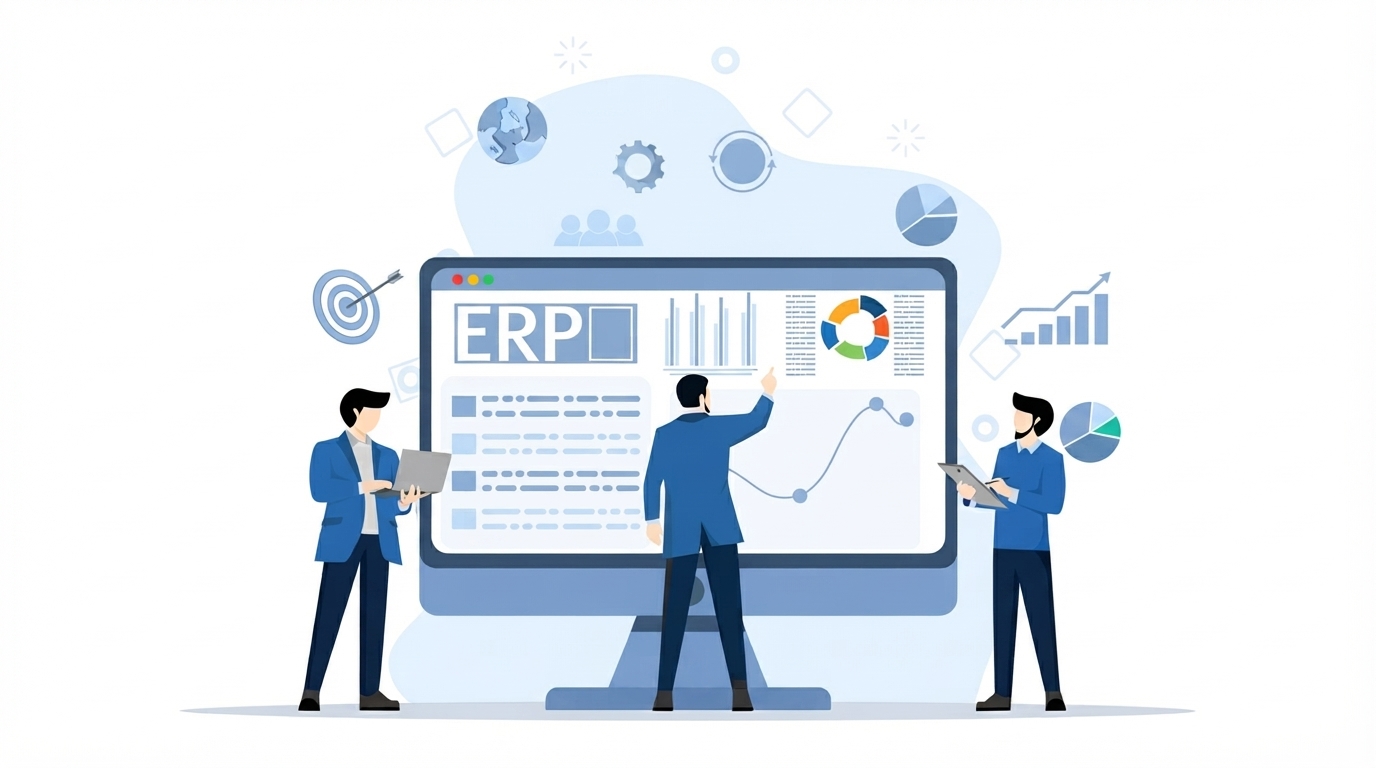
Enterprise resource planning (ERP) is changing faster than at any time since it moved off the mainframe. AI, cloud computing, intelligent automation and real-time analytics are turning ERP from a back-office record keeper into a connected platform for planning and decision-making. Here are the seven ERP trends shaping 2026, what each one means for your business, and how to prepare.
What are the latest ERP trends?
The seven ERP trends transforming businesses in 2026 are:
- AI-powered ERP for forecasting, insights and AI assistants
- Cloud and hybrid ERP deployments
- Intelligent automation of approvals, finance and routine operations
- Real-time analytics and business intelligence
- API-first integration and connected systems
- Composable, modular ERP architectures
- Stronger security, data governance and compliance
Key Takeaways
What these ERP trends mean for your business
AI is making ERP systems smarter, with forecasting, anomaly detection and assistants that answer questions in plain language.
Cloud and hybrid ERP have become the default way to modernize, offering easier scaling, remote access and faster updates.
Intelligent automation removes repetitive work in finance, procurement, inventory and HR.
Real-time analytics turns ERP data into live dashboards and faster, better-informed decisions.
API-first integration and composable, modular ERP make it easier to connect systems and change one part without replacing everything.
Security, data quality and a phased implementation plan decide whether these trends deliver real value.
Trend 1: AI-Powered ERP Systems
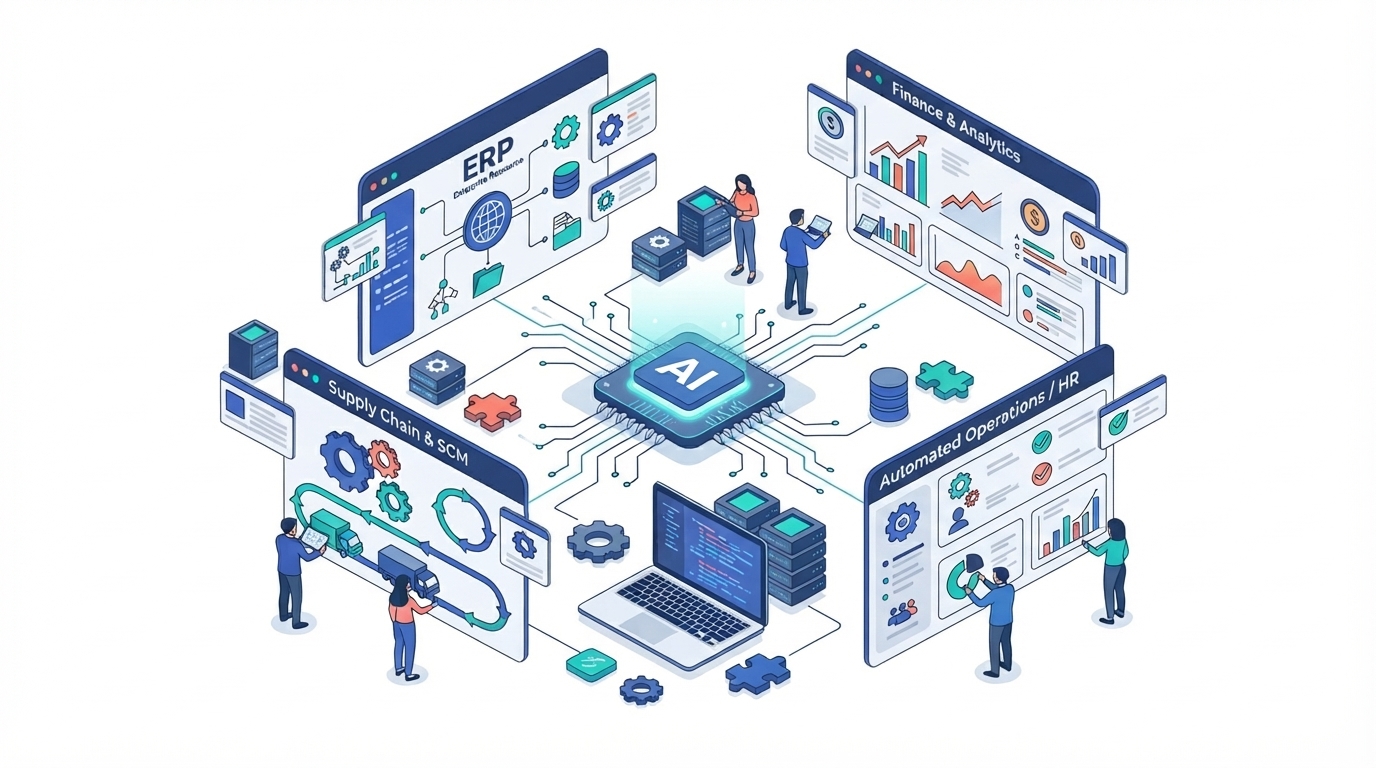
The biggest ERP trend is the arrival of artificial intelligence inside everyday business workflows. AI-powered ERP analyzes historical and live data to forecast demand, flag risks and unusual transactions, and recommend next steps, while AI assistants let employees ask questions of ERP data in plain language instead of building reports by hand.
Intelligent Forecasting
AI analyzes historical data, sales trends, and operational patterns to forecast demand, estimate inventory requirements, support financial planning, and improve resource allocation.
AI Assistants
AI assistants allow employees to interact with ERP data using natural-language questions. They can help retrieve information, summarize reports, answer business queries, and support routine workflows.
Predictive Insights
Predictive analytics helps identify potential risks, unusual transactions, supply chain disruptions, and operational inefficiencies. These insights allow teams to investigate issues earlier and take preventive action.
Decision Support
AI-powered decision support helps managers evaluate business performance, compare scenarios, and assess recommendations using available data. Human oversight remains important for validating insights and making critical business decisions.
Business Benefits of AI-Powered ERP
When implemented effectively, AI-powered ERP can improve forecasting, reduce repetitive work, strengthen operational visibility, support faster decisions, and help organizations respond more effectively to changing business needs.
Trend 2: Cloud ERP & Hybrid Deployments
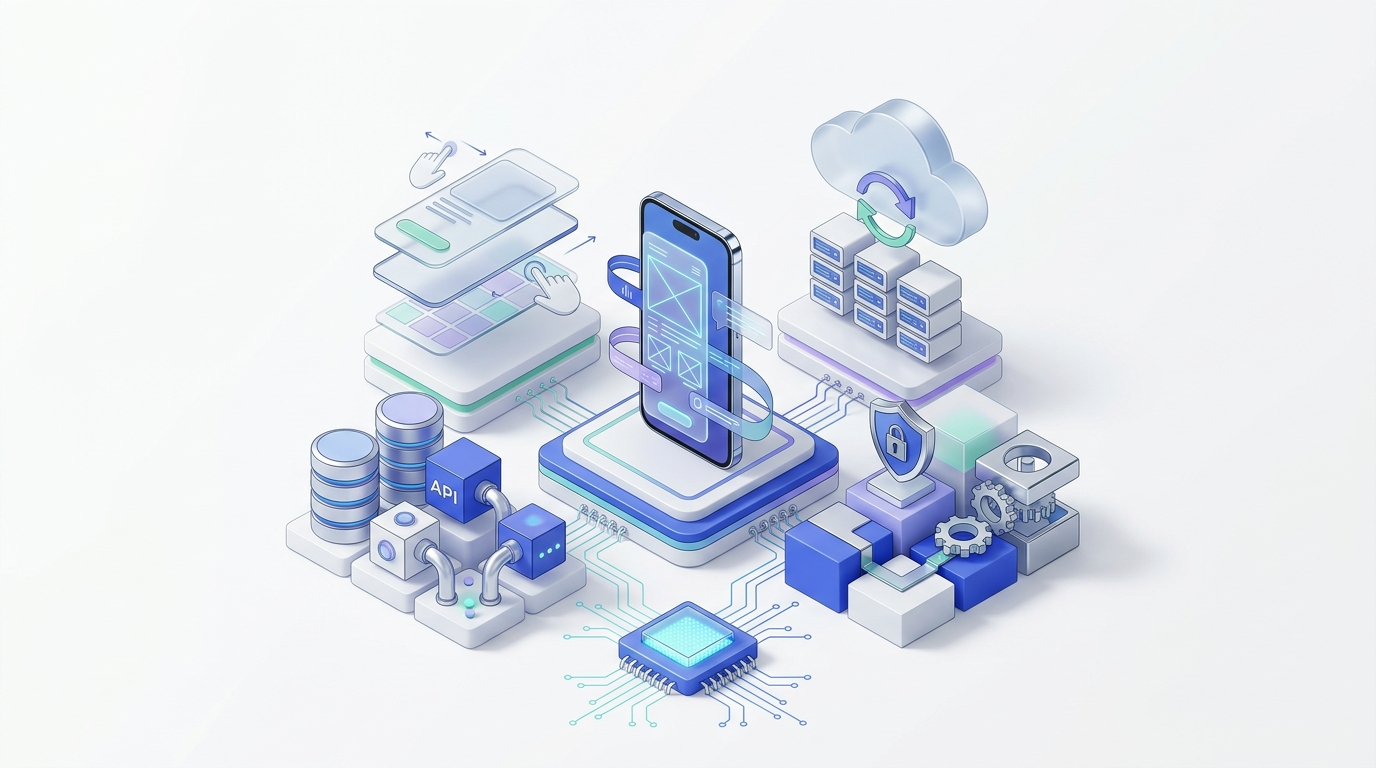
Cloud ERP has become the default starting point for modernization. Hosting ERP in the cloud reduces the burden of managing servers, makes it easier to scale as the business grows, and gives distributed teams secure access from anywhere. For organizations that cannot move everything at once, hybrid ERP keeps selected systems on-premises while new capabilities run in the cloud.
Cloud-Based Deployment
Cloud ERP allows businesses to access enterprise applications and data through internet-connected services. Depending on the deployment model, infrastructure maintenance, updates, and system management may be handled by the cloud provider or shared with the organization.
Scalability & Performance
Cloud infrastructure allows organizations to adjust computing resources as transaction volumes, users, and business demands grow. Proper capacity planning and monitoring help maintain application performance while supporting future expansion.
Flexibility & Accessibility
Cloud ERP supports access to business systems across locations, helping distributed teams collaborate and manage operations. Integration capabilities also allow organizations to connect ERP platforms with other business applications and digital services.
Hybrid ERP Environments
Hybrid ERP combines cloud-based services with on-premises systems. This approach helps organizations modernize selected business functions while retaining existing infrastructure where required for legacy applications, data control, compliance, or operational needs.
Security & Business Continuity
Cloud ERP security depends on appropriate access controls, data encryption, monitoring, backup strategies, and clearly defined responsibilities between the organization and its provider. A well-planned deployment helps support data protection, system availability, and recovery from disruptions.
Trend 3: Intelligent Automation & Workflows
ERP automation is moving beyond simple rules. Modern platforms combine predefined business rules with AI to route approvals, match invoices, reconcile transactions and trigger follow-up actions automatically. The result is less manual data entry, fewer errors and more time for teams to focus on work that needs human judgment.
Automated Approvals
Automated approval workflows route purchase requests, expenses, invoices, and other business documents to the appropriate people based on predefined rules, approval limits, and organizational policies.
Financial Process Automation
ERP systems automate repetitive financial activities such as invoice processing, transaction reconciliation, expense management, and payment tracking. This helps reduce manual effort and improve financial accuracy.
Automated Reporting
Automated reporting generates scheduled business and financial reports using updated system data. Teams can access relevant information more efficiently without repeatedly compiling reports manually.
Routine Operations
Automation supports everyday activities such as inventory updates, order processing, employee onboarding, procurement, and notifications. This allows employees to focus on more complex tasks and business priorities.
Trend 4: Real-Time Analytics & Business Intelligence
Waiting for month-end reports is no longer good enough. Modern ERP systems include built-in dashboards and business intelligence that show live performance across finance, sales, inventory and operations, so managers can spot problems early and respond to changing conditions with confidence.
Interactive Dashboards
ERP dashboards present key business information through charts, summaries, and performance indicators. Users can monitor sales, finances, inventory, procurement, and other operational activities from a centralized view.
Operational Visibility
Connected ERP data provides a clearer picture of activities across departments. Teams can monitor workflows, identify delays, track resource usage, and understand how different business functions affect one another.
Performance Tracking
Key performance indicators (KPIs) help organizations measure progress against business goals. Regular tracking of costs, revenue, productivity, inventory, and delivery performance helps identify areas that require improvement.
Data-Driven Decisions
Business intelligence tools help managers analyze trends, compare results, and evaluate business performance. Reliable insights support more informed decisions about resource allocation, operational priorities, and future planning.
Trend 5: API-First Integration & Connected Systems
ERP no longer works in isolation. API-first platforms connect ERP with CRM, e-commerce, HR, logistics and payment systems so data flows automatically between them. Connected systems remove data silos, eliminate duplicate entry and give every department the same, up-to-date view of the business.
API-Based Integration
Application Programming Interfaces (APIs) allow ERP systems to exchange data with external applications and services. Properly designed integrations help synchronize information, automate workflows, and reduce duplicate data entry.
CRM Integration
Connecting ERP with Customer Relationship Management (CRM) systems links customer information with sales orders, billing, inventory, and financial records. This helps teams maintain consistent information throughout the customer lifecycle.
Supply Chain & Inventory Integration
Integration with procurement, warehouse, logistics, and supplier systems improves visibility into stock levels, purchase orders, deliveries, and supply chain activities.
HR & Workforce Systems
ERP integration with Human Resources platforms connects employee records, payroll, attendance, benefits, and workforce planning with relevant organizational processes.
E-Commerce & Enterprise Platforms
Connecting ERP with e-commerce platforms, payment services, and other enterprise applications helps synchronize orders, product information, customer records, and financial transactions, supporting more coordinated business operations.
Trend 6: Composable & Modular ERP
Instead of replacing one large ERP suite every decade, more businesses are adopting a composable approach: a stable core connected to modular, best-fit applications through APIs. This makes ERP easier to adapt as the business changes.
Modular Capabilities
Instead of one monolithic suite, composable ERP is assembled from modules (finance, inventory, procurement, HR) that can be added, upgraded or replaced individually.
Best-Fit Applications
Organizations can pair a core ERP with specialized applications for areas such as e-commerce, warehouse management or field service, connected through APIs.
Faster Change
Because modules are loosely coupled, businesses can roll out new capabilities or respond to market changes without a full system re-implementation.
Reduced Lock-In
A modular approach makes it easier to swap individual components over time, reducing dependence on a single vendor for every business function.
Trend 7: Security, Data Governance & Compliance
As ERP systems move to the cloud and connect to more applications, protecting business data has become a board-level priority. Modern ERP strategies build security, governance and compliance in from the start rather than adding them later.
Role-Based Access Control
Modern ERP platforms restrict access by role and responsibility, so employees see and change only the data their work requires.
Data Protection & Encryption
Encrypting data in transit and at rest, along with regular backups, helps protect financial, customer and employee records.
Audit Trails & Compliance
Detailed logs of who changed what and when support internal controls, audits and regulatory requirements such as data protection laws.
Data Quality & Governance
Clear data ownership, validation rules and master data management keep ERP information accurate — a prerequisite for reliable analytics and AI.
Continuous Monitoring
Security monitoring and alerts help detect unusual activity early, especially as ERP systems connect to more cloud services and external applications.
Traditional ERP vs. Modern ERP with AI
Traditional ERP systems manage core business operations by recording transactions and predefined rules. Modern ERP builds on that foundation with AI, cloud computing, and predictive analytics.
Traditional ERP
Focuses on structured processes and transaction management.
Process Management
Manages core business operations through predefined workflows.
Data & Reporting
Records transactions and generates standard reports.
Rule-Based Automation
Executes tasks based on configured rules and conditions.
Decision Support
Provides information for employees and managers to analyze.
Operational Control
Helps maintain consistency across business departments.
Modern ERP with AI
Combines enterprise management with intelligent data capabilities.
AI-Powered Insights
Analyzes business data to identify patterns and opportunities.
Predictive Analytics
Helps forecast demand, inventory needs, and potential risks.
Intelligent Automation
Supports workflows that involve data analysis and contextual recommendations.
AI-Assisted Decisions
Provides recommendations to help teams evaluate business options.
Connected Operations
Integrates business applications, data sources, and workflows for better visibility.
Key differences at a glance
Comparing traditional systems with AI-driven ERP capabilities
What makes an ERP modern?
Core technical and functional pillars of next-gen enterprise systems
Cloud Computing
Enables flexible access and scalable infrastructure.
Artificial Intelligence
Supports forecasting, recommendations, and data analysis.
Intelligent Automation
Reduces repetitive work and streamlines business workflows.
Real-Time Analytics
Improves visibility into operational performance.
System Integration
Connects ERP with CRM, supply chain, e-commerce, and other enterprise applications.
Data Security & Governance
Supports controlled access, data protection, and responsible information management.
Does a Modern ERP Always Include AI?
Not every modern ERP system includes advanced AI capabilities. Some platforms modernize traditional ERP through cloud deployment, improved integration, automation, and better user experiences. AI-enabled ERP takes these capabilities further by using suitable data and AI technologies to support predictions, recommendations, and intelligent workflows.
The actual benefits depend on the platform, data quality, implementation, and business requirements.
How to Prepare Your Business for ERP Modernization
Following ERP trends only pays off with a clear plan. These steps help you modernize with less risk and get value sooner.
- 1
Assess your current ERP and processes
Document where today’s system slows people down: manual workarounds, disconnected spreadsheets, slow reporting or integrations that break.
- 2
Define clear business goals
Decide what modernization should achieve, such as faster month-end close, better inventory accuracy or real-time visibility, and how you will measure it.
- 3
Clean and organize your data
AI and analytics are only as good as the data behind them. Remove duplicates, fix inconsistencies and agree on data ownership before migrating.
- 4
Choose the right deployment model
Compare cloud, on-premises and hybrid options against your requirements for control, compliance, integration and cost.
- 5
Plan integrations early
List the CRM, e-commerce, HR, logistics and finance tools your ERP must connect to, and confirm how data will flow between them.
- 6
Roll out in phases
Start with the modules or processes that deliver the most value, learn from the rollout, then expand. Phased delivery reduces risk and disruption.
- 7
Invest in training and change management
New capabilities only pay off when people use them. Train teams, update processes and gather feedback after go-live.
Conclusion: The Future of ERP Is Intelligent and Connected
The latest ERP trends all point in the same direction: ERP is moving from a system of record to a connected, intelligent platform that helps businesses plan, act and adapt faster. AI adds forecasting and insight, the cloud adds flexibility, automation removes manual work, and integration connects the whole business.
Adopting these trends successfully is less about chasing every new feature and more about clear goals, clean data, secure architecture and a phased plan. Businesses that modernize thoughtfully will gain better visibility, faster decisions and a stronger foundation for growth.
Explore our ERP and data services
ERP Trends FAQs
What are the latest ERP trends?
The main ERP trends are AI-powered ERP (forecasting, predictive insights and AI assistants), cloud and hybrid deployments, intelligent automation, real-time analytics and business intelligence, API-first integration with other business systems, composable or modular ERP architectures, and a stronger focus on security, data governance and compliance.
What is AI-powered ERP?
AI-powered ERP is an ERP system that uses artificial intelligence and machine learning to analyze business data. It can forecast demand, flag unusual transactions, recommend actions and let employees query data in natural language, helping teams plan better and make faster decisions.
What is the difference between cloud ERP and on-premises ERP?
Cloud ERP runs on infrastructure hosted by a provider and is accessed over the internet, which makes scaling, updates and remote access easier. On-premises ERP runs on servers your organization owns and manages, giving more direct control but requiring more maintenance. Hybrid ERP combines the two, moving some functions to the cloud while keeping others on-premises.
Is cloud ERP secure?
Cloud ERP can be very secure when it is configured well. Security depends on strong access controls, encryption, monitoring, backups and a clear split of responsibilities between your business and the cloud provider. Reviewing the provider’s security certifications and your own access policies is essential.
What is composable ERP?
Composable ERP is a modular approach in which a business builds its ERP from interchangeable components connected through APIs, rather than relying on one large, tightly coupled suite. It makes it easier to add new capabilities or replace a single module without re-implementing the whole system.
How do I know if my business needs to modernize its ERP?
Common signs include heavy reliance on spreadsheets and manual workarounds, slow or inaccurate reporting, difficulty integrating new tools, rising maintenance costs, limited remote access and an inability to scale with business growth.
How long does ERP modernization take?
It depends on the size of the business, the number of modules, data quality and integrations. Many organizations modernize in phases, starting with the processes that deliver the most value, which spreads the effort over time and reduces disruption.